0 Item(s) @ $0.00 View Cart Checkout Live Help: 1.800.707.9807
  • Select Your Handset
  • Enter IMEI Number
  • Review & Purchase
  • Unlock Your Handset
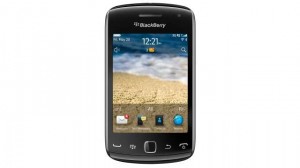
Unlock Blackberry Curve 9380

Unlock Blackberry Curve 9380

This is how you can Unlock your Blackberry Curve 9380 from any networks such as Sprint and Mobilicity.

Simply enter the Blackberry Unlock Code we email to you and this will unlock your Blackberry Curve 9380 to be used with any GSM / CDMA network

Once you place your order for your Blackberry Curve 9380 Unlock Code, we will email you the Unlock Code when it has finished processing. Once unlocked, your Blackberry Curve 9380 will be permanently unlocked for another GSM / CDMA Network.

100% Guaranteed!

Could not load product information

Unlock Blackberry unlock instructions

Different Blackberry Devices have different code input instructions (Instructions will also be emailed with the Unlock Code)

How to Enter Unlock Codes on most Blackberry models, 83xx – 8520, 8800, 8900, 9000, 9700, 9780

1) Go to Settings
2) Go to Advanced Options
3) Go to SIM card
4) Type MEPD (if nothing go straight to step 6)
5) Type MEP, press Alt + 2
6) It will ask you for the unlock code. Enter it and your phone is unlocked!

How to Enter Unlock Codes on BlackBerry 9900/9930, 9790, 9360/9370,9850/9860,

1) Start the phone on with a non-accepted SIM card in the phone
2) Phone will display Sim Unlock Code is Needed to Use the phone proceed?
3) Click yes, and input the 8 or 16 digit Unlock code sent to you
4) Phone is now unlocked!

How to Enter Unlock Codes on BlackBerry 9300/9780/9800/9810

1) Go to options, device settings, advanced system settings, simcard
2) Type in MEPD using the keyboard (nothing will show on screen)
3) Type in MEP, hold ALT and press 2, another screen pops up for the code
4) Enter the code, remember you ONLY have 10 chances to get it right
5) Press the enter key

How to Enter Unlock Codes on BlackBerry Storm 9530/9550, Tour 9630, Bold 9650

1) Turn on phone with a non-accepted SIM card
2) Go to Options, then Mobile Network, on the third row switch it to GSM/UMTS
3) Go to Settings Menu, Options, Advanced Options and then SIM Card.
4) Hit the menu button and select show keyboard
5) Type in mepd using the keyboard (nothing will show on screen)
6) Type in mep2 another screen pops up for the code
7) Enter the code, remember you ONLY have 10 chances to get it right
8.) Press the enter key
9) A message will appear saying code accepted
10) Turn device off, insert SIM of your choice if have not done so already