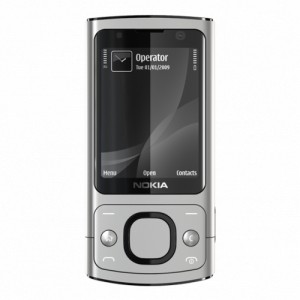
Once you have received the Unlock Code email, please follow the following instructions carefully.
Nokia Lumia Devices
- Insert a SIM card that is not from the original carrier in your phone and power on the phone.
- Once finished loading your phone will ask you for the "Network Unlock Code".
- Enter the Nokia Network Unlock Code.
Your Nokia Device is now Unlocked!
- Some phones may have different unlock Code Input Instructions.
- If you are having difficulty, please see below or contact us for more details!
Older Nokia phones (Non-Lumia models only)
- Remove the SIM card from your phone and power on the phone.
- Phone will display SIM is restricted
- Dial #pw+ [Code Here] +1# on the phone.
- For example, if your code is 123456789012345, please enter dial this:
- #pw+123456789012345+1#
- To enter "p", quickly press the button star ( * ) 3 times.
- To enter "w", quickly press the button star ( * ) 4 times.
- To enter "+", quickly press the button star ( * ) 2 times.
- For all ROGERS, FIDO and ChatR devices use +7 at the end first if code error then try +1
- For all TELUS, BELL and KOODO devices use +5 at the end first, if code error then try +1
- For all T-MOBILE USA devices use +1 at the end.
- For all UK Networks use +1 and +7 at the end
- The phone shows "SIM Restriction Off".
Your Nokia Device is now Unlocked!
- Some phones may have different unlock Code Input Instructions.
- If you are having difficulty, please see below or contact us for more details!
If you are receiving either "CANNOT UNDO RESTRICTION", "NOT ALLOWED", or "PHONE RESTRICTION" message:
This means your phone is hardlocked and you will have to use the following software:
You will require the following:
- A USB Cable for your Nokia phone.
- The correct USB Cable Drivers. Installing the 'Nokia PC Suite' software that you can obtain from the Nokia website will install the appropriate USB Cable Drivers. You can find it HERE
- A small software application that you can download from HERE.
- The unlock code sent to you by us
- Once you have all of these, follow the directions below:
- Switch on your phone without a sim card. You should be prompted to "Start Phone Without SIM Card" or similar. Click "Accept" or "OK". Your phone is now in offline mode.
- Connect your Nokia phone to the PC using the USB Cable. Your phone will display several options, "PC Suite Mode", mass storage mode etc... stay in this screen, do not select any of the options.
- Start the "SendCodeUsb" application you downloaded earlier and click on the "Read Phone Info" button. The application should display several lines of information. If it says "not found" replug your phone into the usb, and then click read phone info.
- If the application still displays "Not Found", your "USB Cable Drivers" are not correctly installed. In this case you will need to uninstall, then re-install the USB Cable Drivers. This procedure will not work unless the drivers are correctly installed. Trying an alternative USB Port may also help. DO NOT move on to the next step until you have successfully installed the USB Cable Drivers and the software can read the information from the phone.
- Now make sure you check the "Check For Fbus" checkbox. Also make sure the "Level(1-7)" selection is set to the appropriate carrier
- For all ROGERS, FIDO and ChatR devices use +7 at the end first if code error then try +1
- For all TELUS, BELL and KOODO devices use +5 at the end first, if code error then try +1
- For all T-MOBILE USA devices use +1 at the end.
- For all UK Networks use +1 and +7 at the end
- Enter only the numbers of the correct unlock code into the "Unlock Code (15 digits)" field.
- If your correct unlock code was #pw+123456789012345+1# you would enter only 123456789012345 in this field.
- Click on the "Send Unlock Code" button. The application should confirm that your Nokia phone is now unlocked.